
Help Center › Your team and your guests
The accountant role
Add an accountant
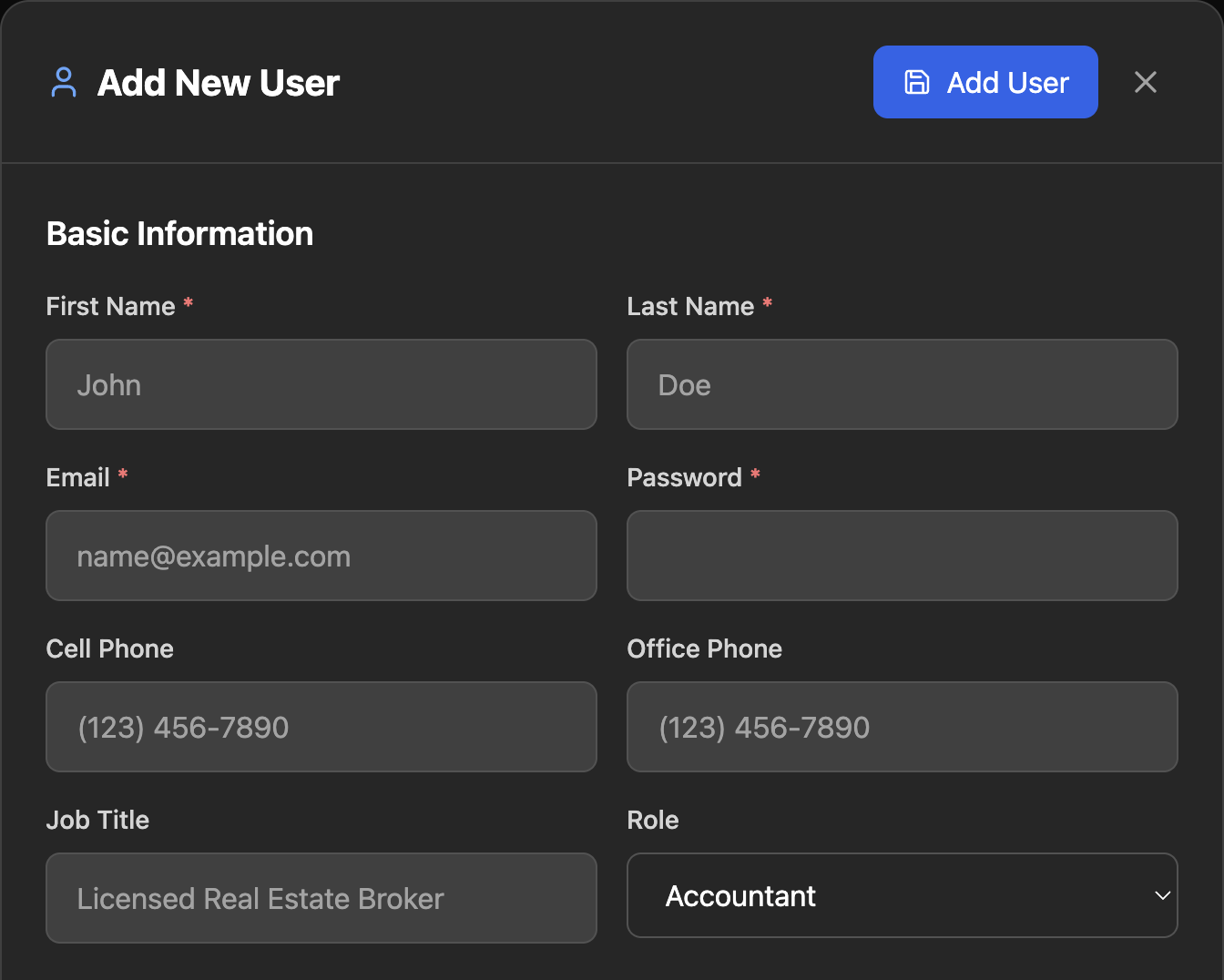
- Go to the Users tab. The page is headed User Management. Click Add User.
- Under Basic Information, fill in First Name, Last Name, Email and Password.
- Set Role to Accountant. Leave Account Status on Active.
- A section called Dashboard Tab Access appears with every box ticked. Untick any tab you would rather they not see.
- The Role menu lists only the roles you are allowed to assign.
- Click Add User. You will see "User created successfully!"
RESRA does not email the new user. No invitation goes out. Give your accountant their email and password yourself, by phone or another channel you trust, and ask them to set their own password right away using Forgot Password? on the login page.
You need to be an admin or owner to add users.
What an accountant can do
They land on Admin › Accounting when they sign in. They have full working access to:
- Accounting. Upload files under Accounting Documents, and manage tax types and the payment checklist under Tax Management. They can delete only the files they uploaded themselves.
- Bills Utilities. Add and manage utilities and bills under Bill Management.
- Client dashboards and files. They can open a client's dashboard and view files, and they receive a copy of file upload and download notifications.
What they can see but not change
Inside Admin, every other section shows a banner that begins "View only" and its fields are locked.
On the main tabs (Calendar, Users, Messages, Newsletter, Listings) the forms look editable to an accountant, but the save is refused by the database and an error appears. Tell your accountant to expect this so an error message does not alarm them. Nothing they do on those tabs is saved.
What they cannot do
- Create payment links, cancel bookings, issue refunds, or capture or release a security deposit.
- Reply to guests.
- Add, edit or delete users. They can edit only their own profile.
- Change company, email, branding, pages, navigation or listing settings.
- Use the RESRA AI assistant.
These limits are enforced by the database and the server, not just hidden in the screen.
If your accountant cannot see a section
A new accountant can view every section by default. If one is missing, check Dashboard Tab Access on their user first, then email us the accountant's address and the section they cannot see.
Other roles, briefly
| Role | For |
|---|---|
| Client | Guests. They see only their own bookings and documents. |
| Agent | Staff who work with listings. |
| Accountant | Bookkeeping, as described on this page. |
| Manager | Day-to-day staff who can also edit client, agent and accountant accounts. |
| Owner, Admin | Full control, including payments and settings. Only an admin can create another owner or admin. |
Removing access
Open the user, set Account Status to inactive, and save. Do this the day an accountant stops working for you.
Related: Connect Stripe · Deposits and tax
Still stuck? Email us.