
Help Center › Set up your site
Deposits and tax
Company defaults
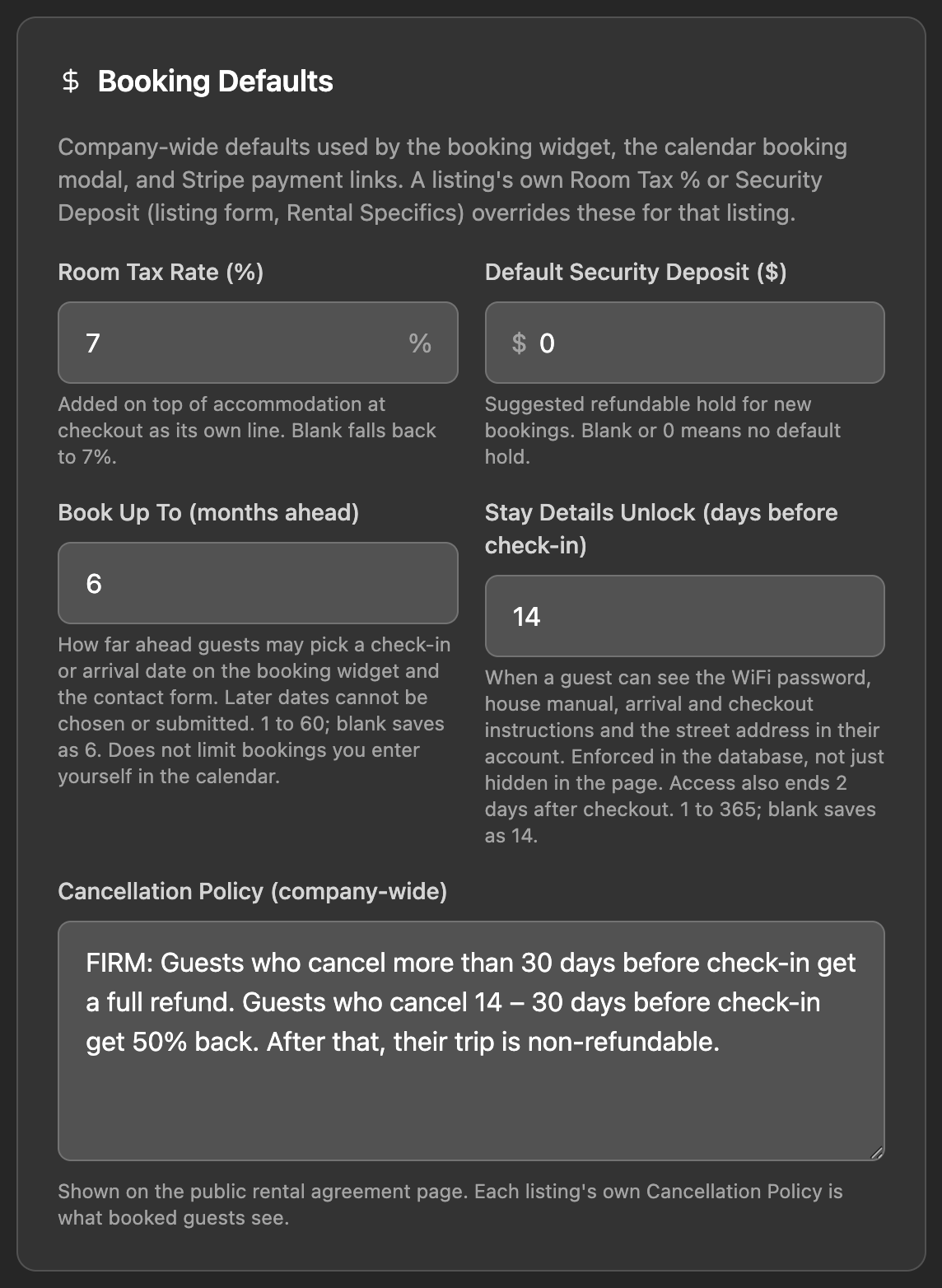
Go to Admin › Company and find Booking Defaults. This page saves as you type. Watch for "Saved".
- Room Tax Rate (%) is added on top of the stay as its own line at checkout. If you leave it blank, RESRA uses 7%.
- Default Security Deposit ($) is the refundable hold suggested on new bookings. Blank or 0 means no hold.
RESRA supports one tax rate per booking. If your jurisdiction has several, enter the combined rate. You remain responsible for collecting the right amount and paying it to the tax authority.
Per listing
Open a listing for editing. The nightly rate is Price, under Listing Details. Everything else is under Rental Specifics, which appears only on listings in a rental category.
| Field | What it does |
|---|---|
| Security Deposit | Blank uses the company default. Enter a value only to override it for this listing. |
| Room Tax % | Blank uses the company rate. |
| Max Occupancy | Guests cannot request more than this. |
| Minimum Nights | Shorter requests are refused. Default is 3. |
| Guests Included in Price | How many guests the nightly rate covers. |
| Extra Guest Fee (per guest, per night) | Charged for each guest beyond the included number. Infants under 2 are free and do not count. |
| Cleaning Fee | Added once per stay. |
| Pet Fee, Pool Fee | Shown on the listing for information only. See the note below. |
Pet and pool fees are not added to the quote. They are text shown to the guest, not part of the calculation. If a booking includes one, add it into Accommodation ($) yourself before you generate the payment link.
How the guest's quote is calculated
Nights times the nightly price, plus the extra guest fee, plus the cleaning fee. Room tax is then calculated on that whole subtotal, including the cleaning fee. The security deposit is shown to the guest as a note and is never part of the total.
On each booking
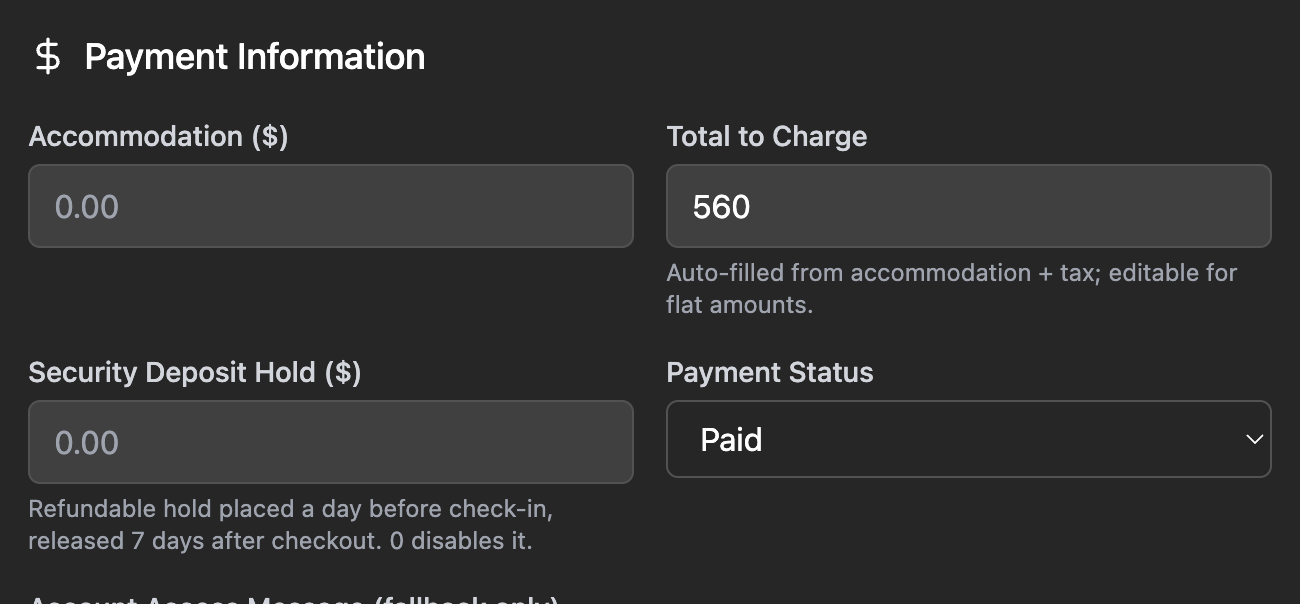
Open a booking on the Calendar and look under Payment Information.
- Accommodation ($) is the pre-tax amount. The room tax shows live beside it.
- Total to Charge fills in as accommodation plus tax.
- Security Deposit Hold ($) is the hold for this booking. Set it to 0 to skip the hold.
Set the deposit before you generate the payment link. The guest's card is saved at checkout only when a deposit is on the booking, and without a saved card no hold can be placed later.
How the deposit hold works
- The guest pays for the stay. Their card is saved for the deposit. Nothing extra is charged.
- About a day before check-in, RESRA places the hold on the card automatically and emails the guest.
- After checkout, if all is well, you do nothing. The hold releases on its own 7 days after checkout.
- If there is damage, open the booking's Security Deposit panel, enter an amount in Capture amount and press Capture. You can take part or all of the hold, and the rest is released. To let it go early, press Release now.
Card holds last about 7 days. That is a card network limit, not a RESRA one. On stays longer than about 6 nights, the hold can lapse before checkout. For long stays, consider collecting a deposit as part of the payment instead.
If the hold cannot be placed (declined or expired card), the booking shows that it failed, and both you and the guest are emailed. Holds are placed by a daily automatic run. There is no button to retry one by hand, so contact the guest and have them update their card.
A booking you marked as paid by hand has no saved card, so it never gets a hold.
Cancellations and refunds
In the booking, open the Cancellation section and click Cancel booking…. RESRA suggests a refund using the standard Firm schedule:
| Cancelled | Suggested refund |
|---|---|
| More than 30 days before check-in | 100% |
| 14 to 30 days before | 50% |
| Less than 14 days before | None |
The suggestion is only a starting point. Change Refund amount ($) to whatever your own policy says, choose whether to email the guest, and confirm. Cancelling also releases any deposit hold.
The Cancellation Policy text on each listing (under Guest Info) is what guests read and what appears in the rental agreement. RESRA displays it but does not calculate from it, so make sure your text and the refunds you give agree.
Related: Connect Stripe · Handle a booking request · The rental agreement
Still stuck? Email us.