
Help Center › Your team and your guests
Guest FAQ
Requesting and paying
Was I charged when I pressed Request to Book?
No. Nothing is charged at that point. The owner confirms availability first, then emails you a secure payment link.
Are my dates held once I send a request?
Not yet. Your dates are not held until the booking is paid. When the owner sends your payment link, the dates are reserved for you for 24 hours.
How do I pay?
Press Pay securely in the payment email. It opens a Stripe checkout page, where you pay by card. You will see the stay and the room tax as separate lines. If you already have an account, the same link is in your account under Billing Status › Complete payment.
My payment link expired.
Reply to the payment email. The owner will send a new link if your dates are still open.
Can I bring more guests than the listing allows?
No. Each listing has a maximum, and infants under 2 do not count toward it. Guests above the number included in the nightly price add an extra guest fee, which you will see in the quote before you send your request.
Can I get my emails in Spanish?
Yes. Choose Español under Email language / Idioma when you request, and your booking emails will be in Spanish.
Your account
How do I get an account?
It is created for you when you pay. Your confirmation email shows your login email and a temporary password, with a Sign in button. If you already had an account under the same email, the booking is simply added to it.
How do I change my password, or what if I cannot log in?
To change it, sign in, open My Profile from the menu at the top, and under Security press Change Password. Do this after your first sign-in to replace the temporary password. If you cannot log in at all, press Forgot Password? on the login page, then Send Reset Email, and follow the link. A password needs at least 8 characters, with an uppercase letter, a lowercase letter and a number. Login is by email and password only.
Before and during your stay
Where are the WiFi details, door code and house manual?
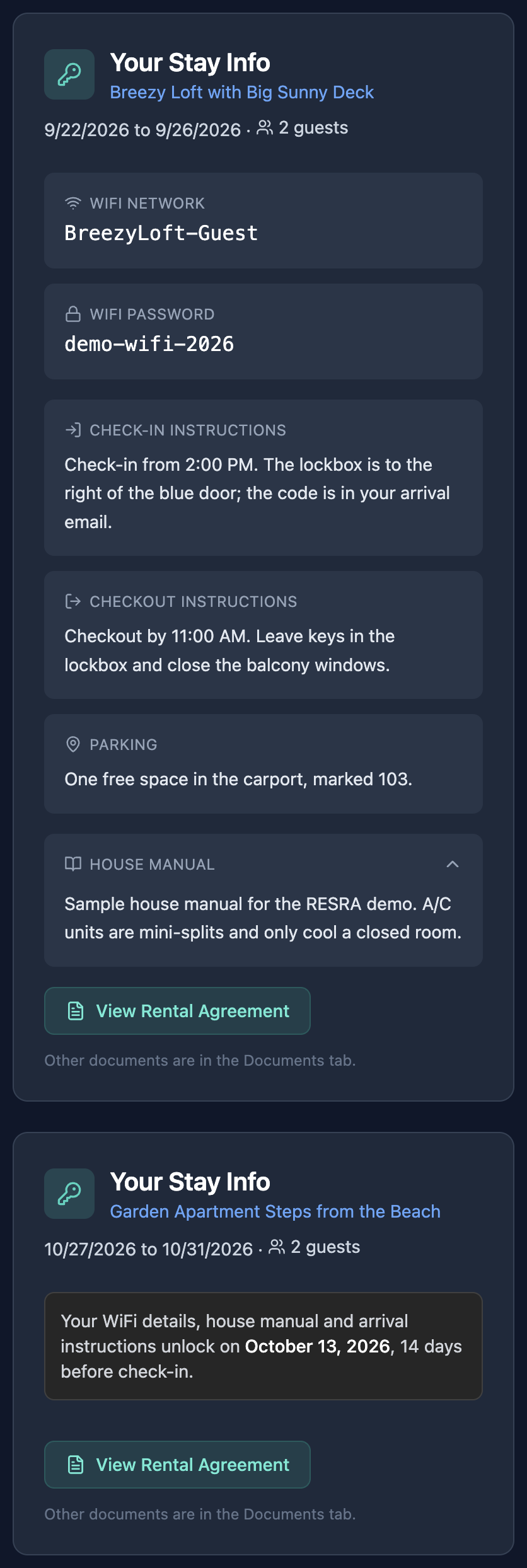
Sign in and look at the Your Stay Info card on the Overview tab. For security, these details appear a set number of days before check-in (14 unless your host chose otherwise). Until then, the card shows the exact date they will appear.
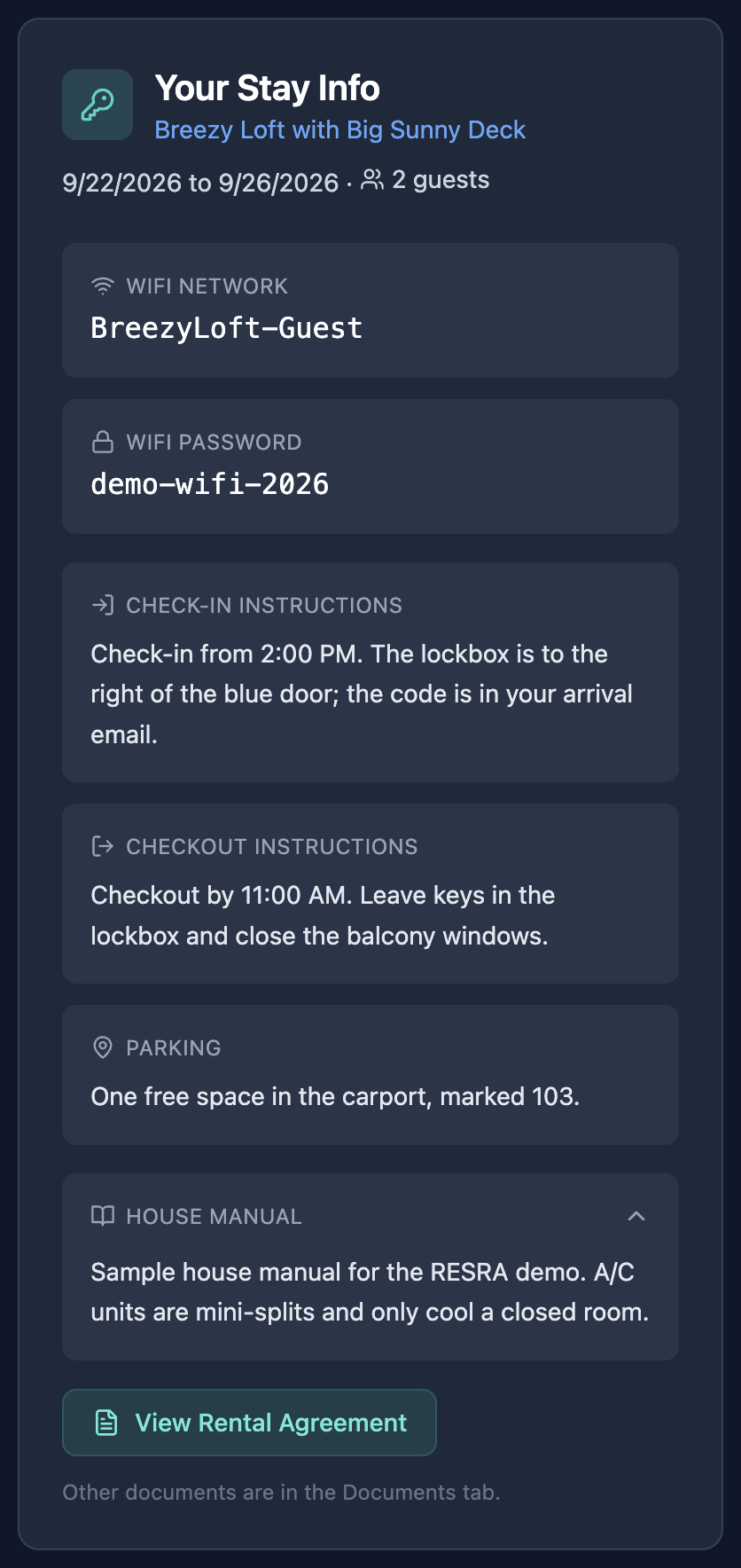
My stay card is empty, or gone.
Either it is still before that date, the booking was cancelled, or your stay ended more than a day ago.
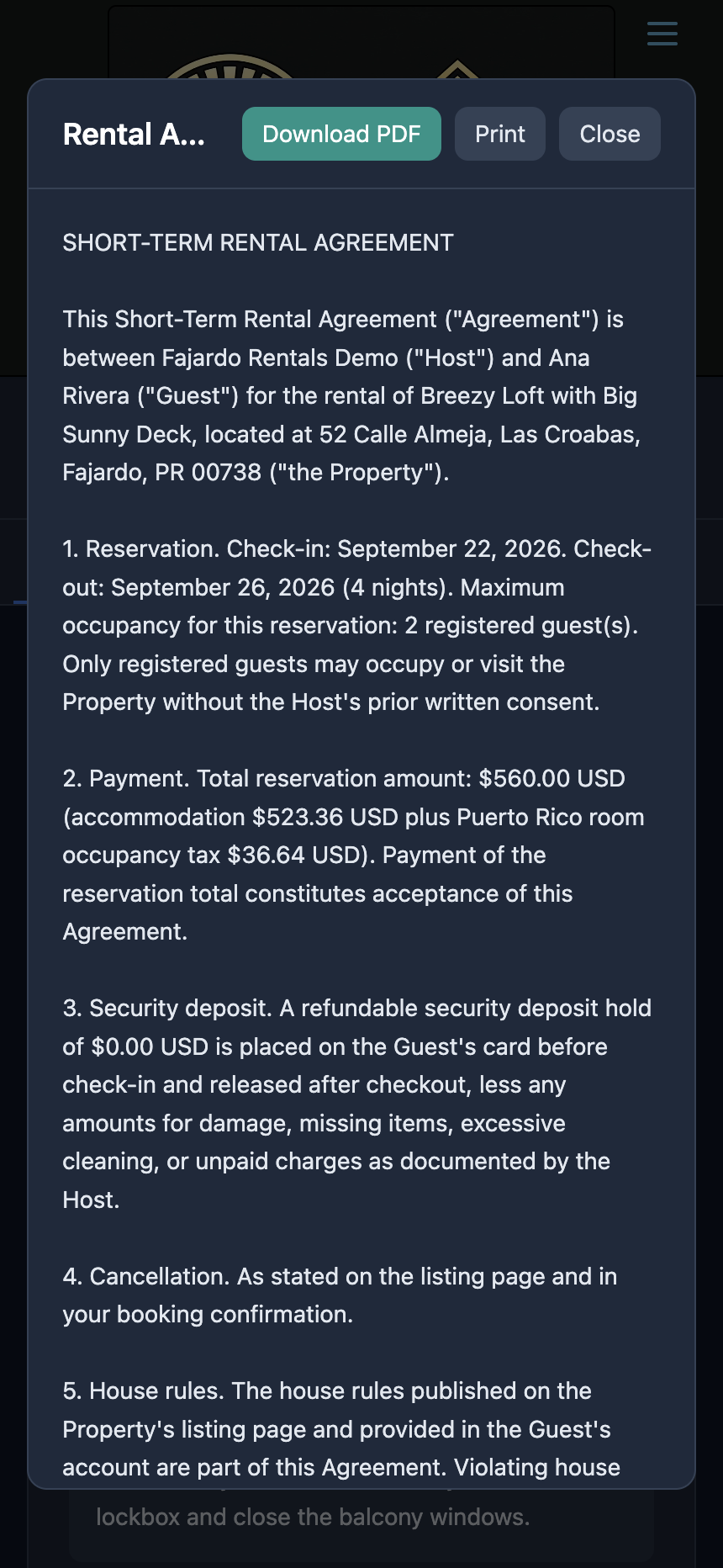
Where is my rental agreement?
On your stay card, press View Rental Agreement. You can download it as a PDF or print it. It is also under Documents › Booking documents. By completing payment you agreed to it, so it is worth reading.
Where is my receipt?
Press View Payment Receipt on your stay card, or open the Billing tab and press Receipt.
How do I contact the host?
Reply to any booking email. It goes straight to the host. The Messages tab in your account shows the host's replies, but you answer by email, not from that tab. The listing page and the site's contact page also have the host's phone and contact form.
The security deposit
What is the security deposit hold?
It is a temporary hold on your card, not a charge, and it is not part of your booking total. It is placed about a day before check-in and released within 7 days of checkout. You get an email when it is placed and another when it is released. Depending on your bank, a released hold can take a few more days to disappear from your statement.
I got an email saying the deposit hold could not be placed.
Your card was declined or has expired. Reply to that email to sort it out with the host before you arrive.
Can the host keep the deposit?
Only for damage, and only up to the amount of the hold. The rental agreement sets out the terms.
Cancelling
How do I cancel, and what will I get back?
Contact the host. Guests cannot cancel from their account. Your refund follows the cancellation policy shown on the listing and in your rental agreement. Refunds go back to the card you paid with, and banks usually post them within 5 to 10 business days. Any deposit hold is released.
Related: Handle a booking request · Deposits and tax · The rental agreement
Still stuck? Email us.